My 2026 Homelab Architecture — Part 3: Operations & Plans
My homelab operations — backup strategy, observability pipeline, deployment automation, and 2026 roadmap.
Quick Recap#
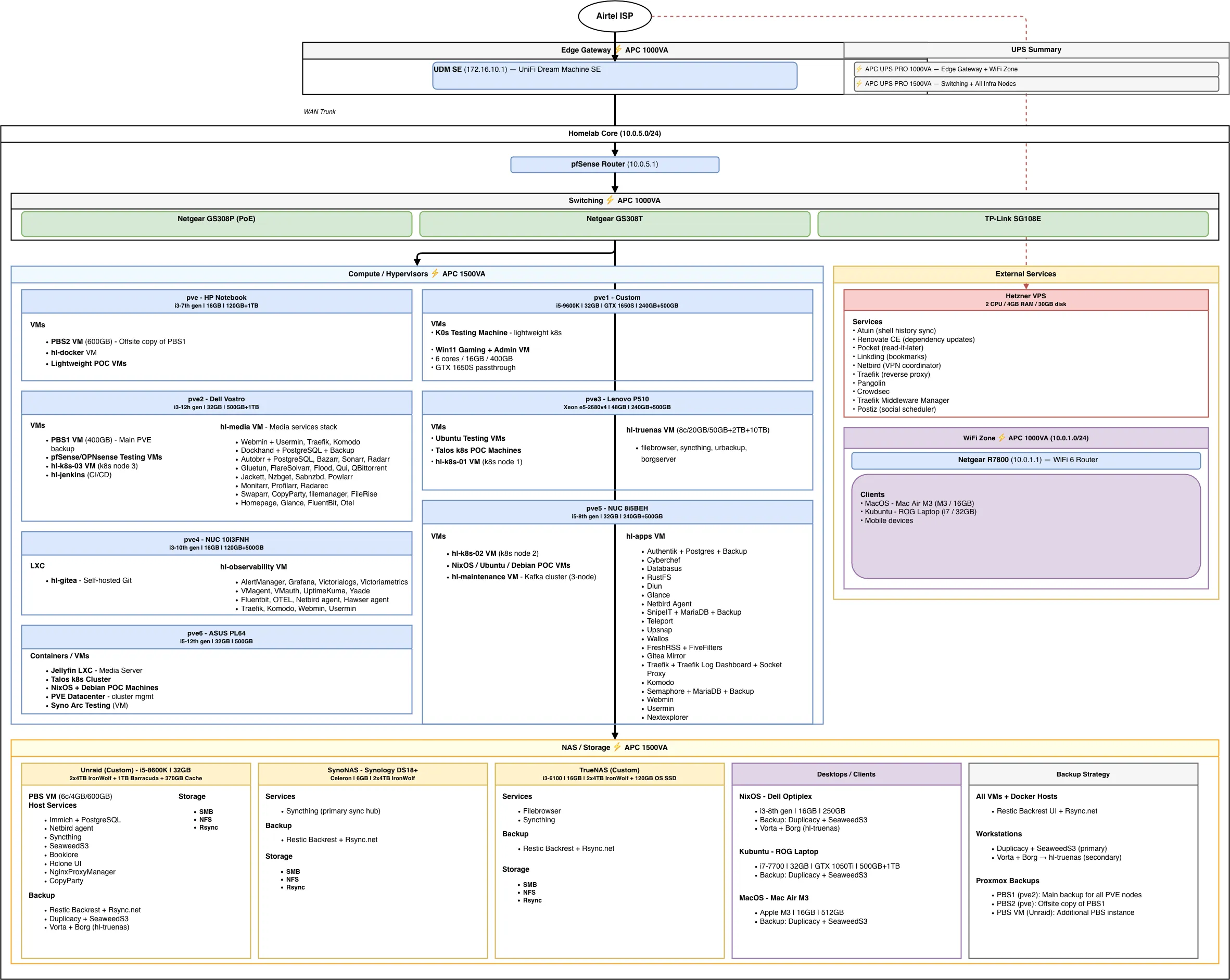
In Part 1, I covered the full infrastructure — networking, compute, storage, remote management, and power protection. In Part 2, I walked through every VM, LXC, and container running across seven Proxmox nodes, Unraid, TrueNAS, and a Hetzner VPS.
This post dives into the operational side: how everything is backed up, monitored, deployed, and where my homelab is headed in 2026.
Backup & Disaster Recovery#
Backups are layered across my entire lab: PVE snapshots, application-level backups, file syncing, and offsite copies. The goal is a proper 3-2-1 strategy — three copies of data, on two different media types, with one offsite.
PVE VMs & Containers#
All Proxmox VMs and containers are backed up through the PBS chain covered earlier:
- PBS (Unraid) — primary backup target, all PVE nodes back up here
- PBS1 (pve2) — secondary copy, syncs from PBS
- PBS2 (pve) — offsite copy on separate hardware, syncs from PBS1
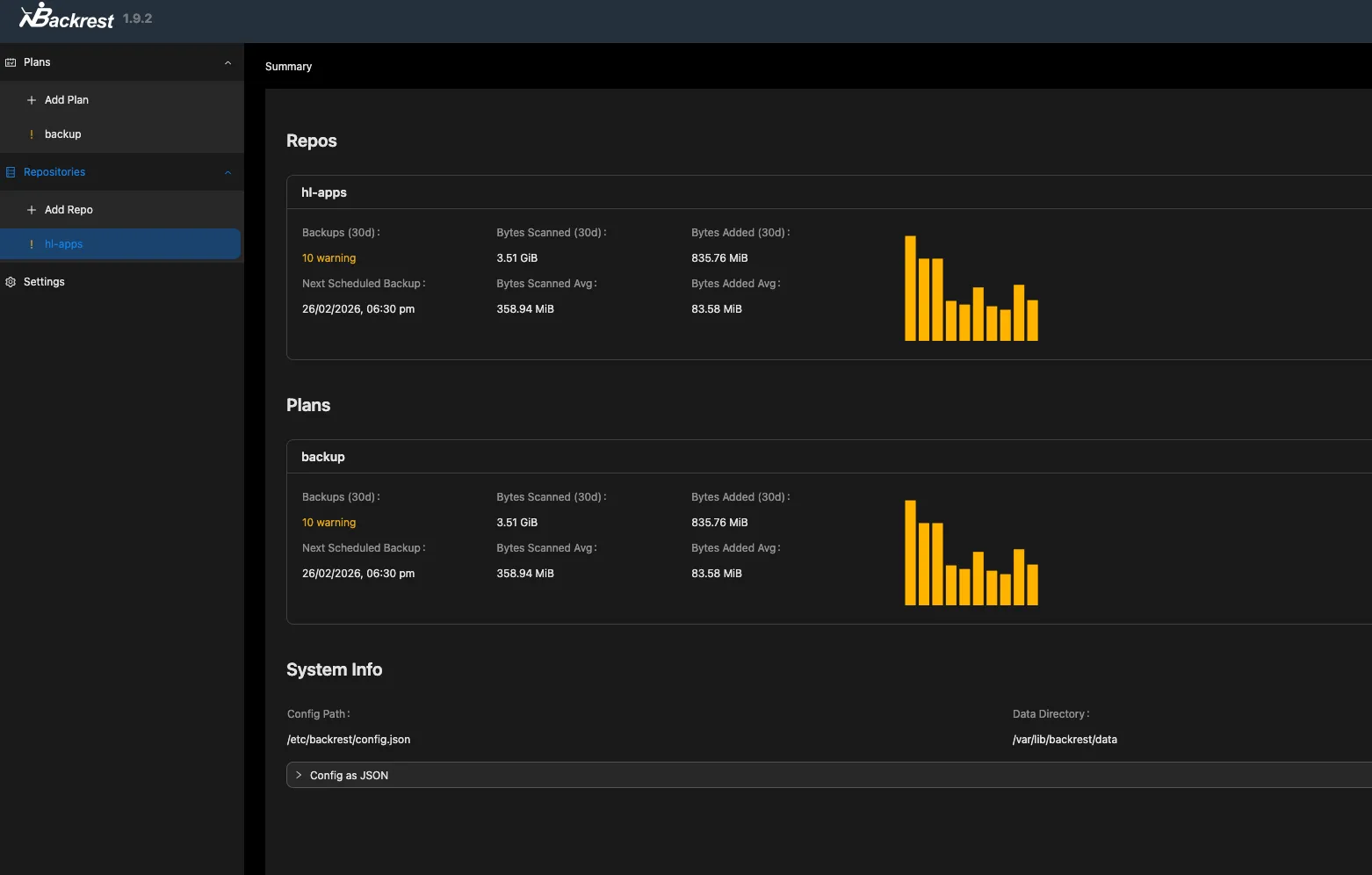
On top of PBS, Backrest (Restic UI) runs scheduled backups to Rsync.net for encrypted offsite retention, so critical VM data has both a local PBS copy and a cloud-based Restic copy.
Workstation & Personal Devices#
Mac (MacBook Air):
- Backrest (Restic UI) → Rsync.net for encrypted offsite backups
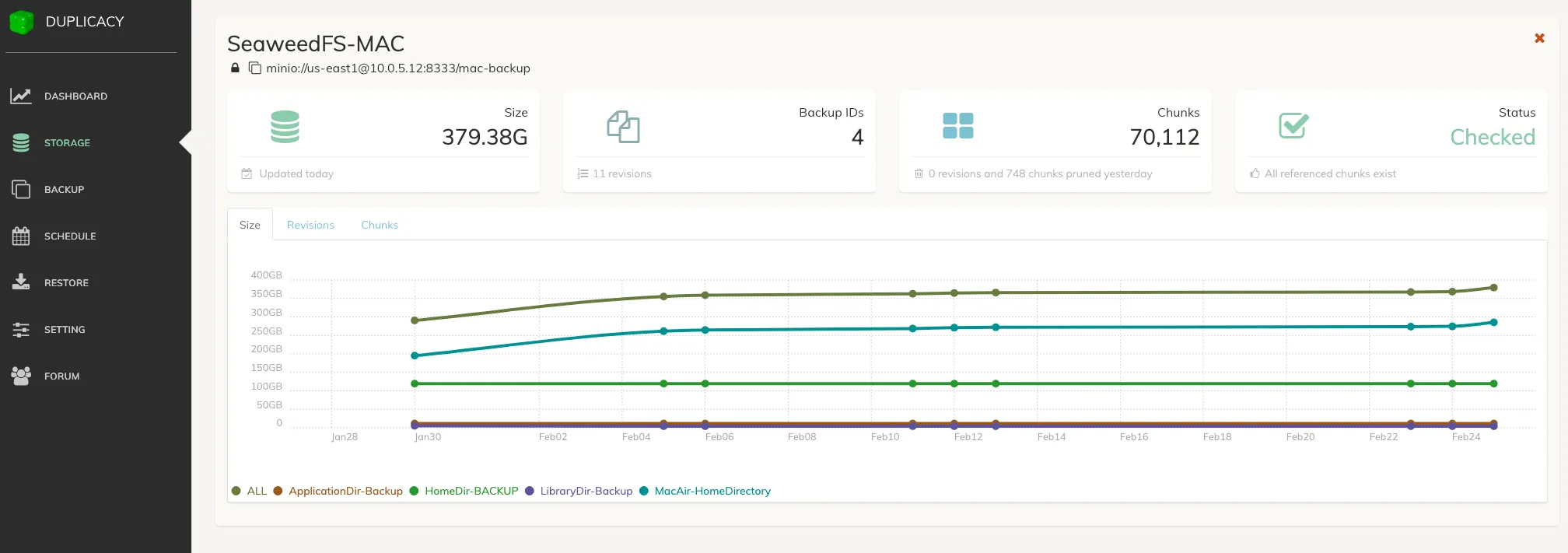
- Duplicacy → SeaweedFS S3 on Unraid for local backup
Linux Machines & NixOS:
- Duplicacy → SeaweedFS S3 on Unraid
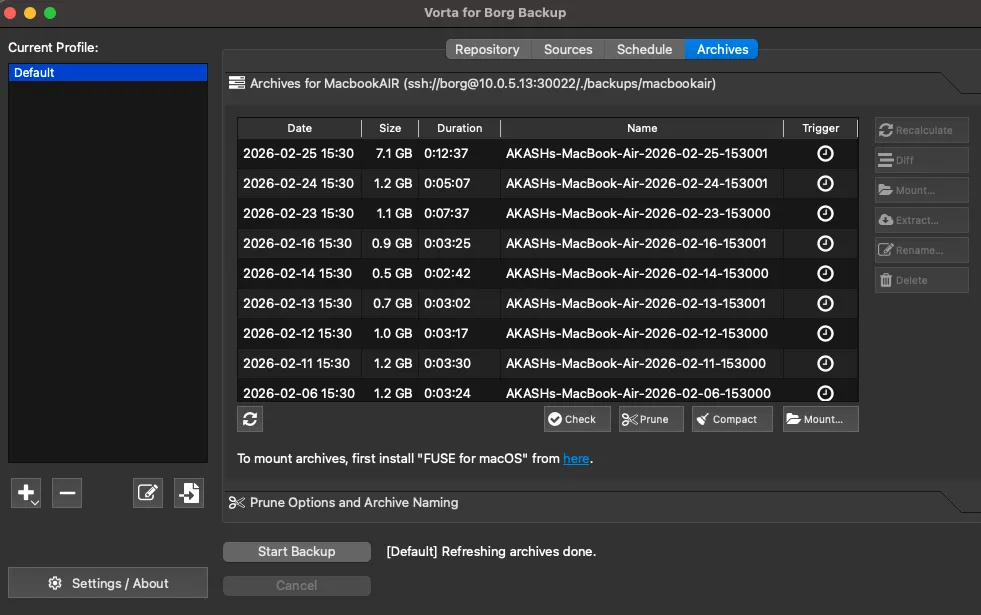
- Vorta UI (BorgBackup frontend) → BorgServer on HL-TrueNAS
iOS:
- ParachuteBackup → SMB shares on Unraid
- PhotoSync → SMB shares on Unraid
The 3-2-1 Strategy#
For learning data, personal data, and general homelab files, my three-copy strategy breaks down like this:
| Copy | Location | Notes |
|---|---|---|
| Main copy | Unraid | Primary storage with parity protection |
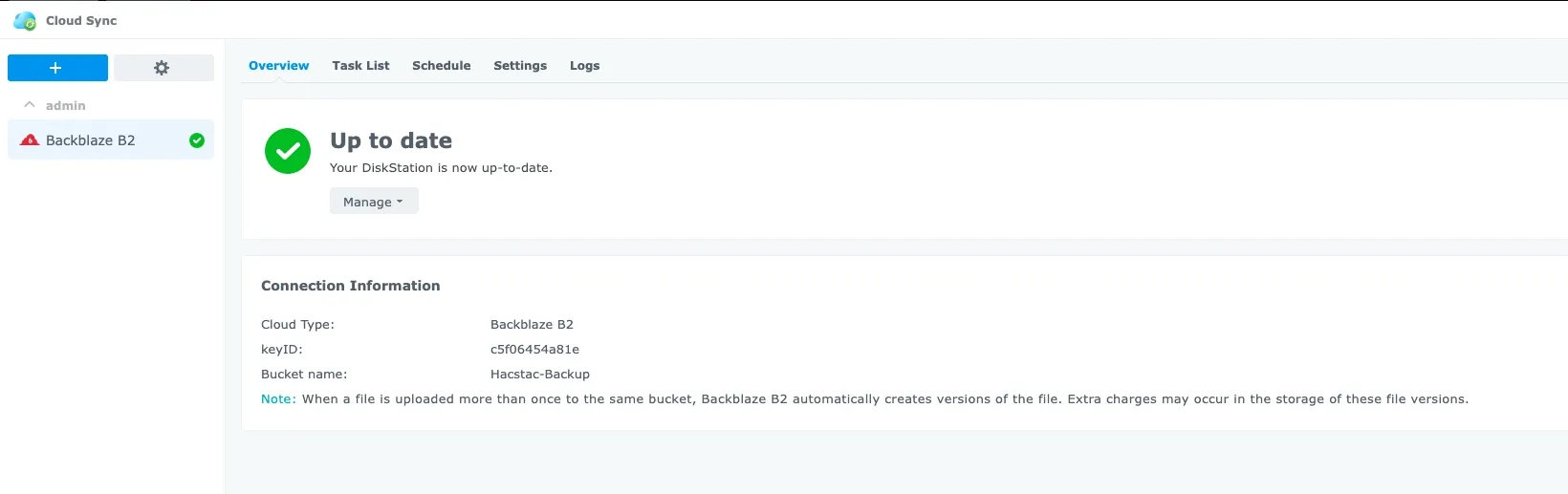
| 1st copy | Synology DS218+ | Important data encrypted and synced to Backblaze B2 |
| Offsite copy | TrueNAS + external HDD on Unraid | External HDD attached to TrueNAS with automated sync |
App & Config Backups#
Every VM is configured with Ansible and Docker Compose in a GitOps workflow, Git is the source of truth. If a VM goes down, I can rebuild it from the repo and have it running with the same configuration.
On top of that, I have a few extra layers:
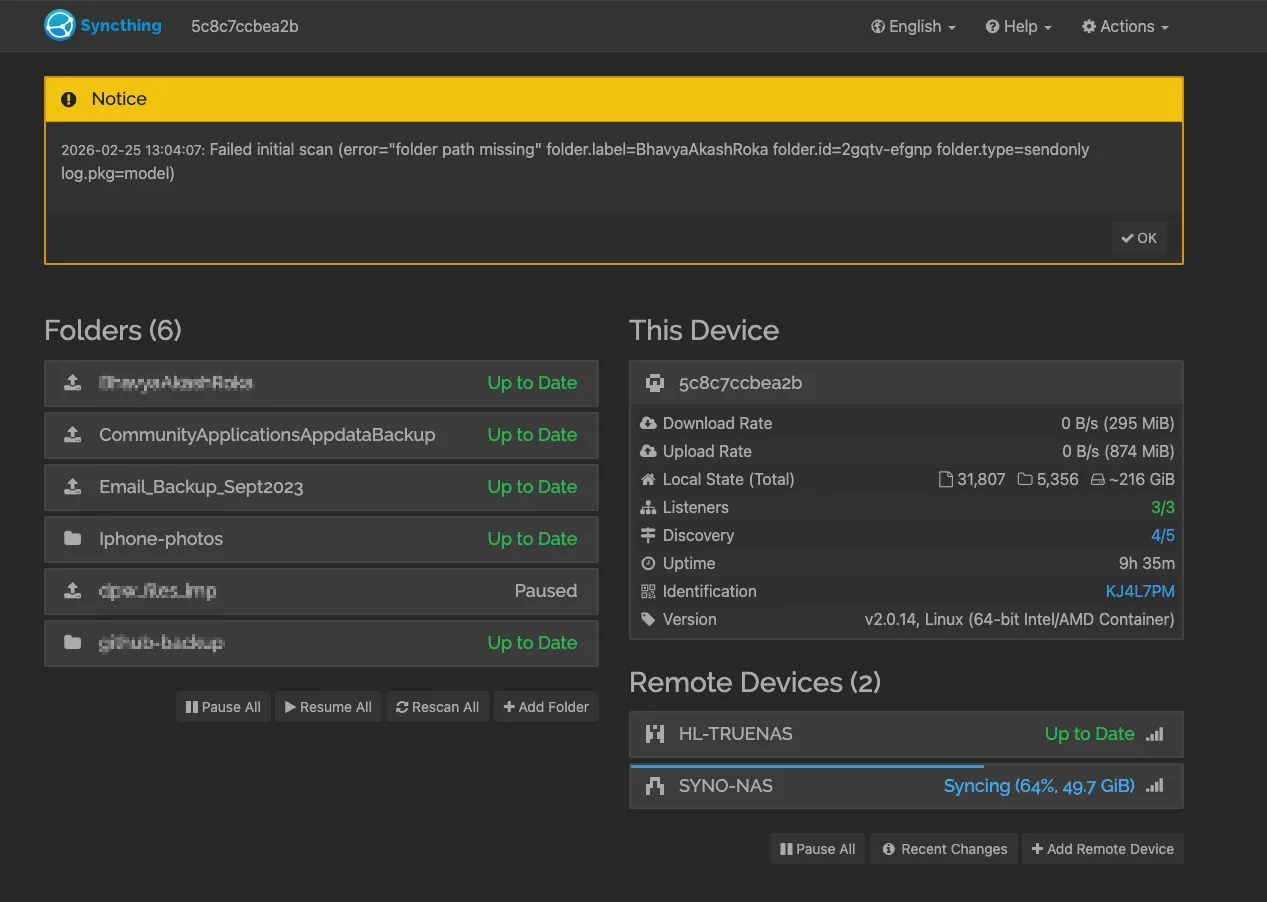
- Syncthing runs on all NAS devices, syncing data across for an additional copy.
- Database dumps and Docker volume backups are handled at both the system level (Backrest and PBS snapshots) and the application level (Databasus for DB dumps, RustFS for storage).
- Secrets are managed with SOPS and 1Password — encrypted at rest, never stored in plaintext in repos.
Backup Tools in Action#
Here are some of the backup tools running across the homelab:
Observability Stack#
The observability pipeline runs on two VMs — pve4 and pve5 — with agents installed on every machine in my lab. My main goal is to collect all metrics and logs, route them through Kafka, and store them in a single place for easy querying and dashboards.
The Pipeline#
Each machine in my homelab runs two agents:
- OpenTelemetry Collector — Collects and sends host, container, and exporter metrics.
- Fluent Bit — Gathers and forwards logs from all services and the host.
Both agents send data to the 3-node Kafka cluster on hl-maintenance (pve5). Kafka acts as a central buffer, keeping producers and consumers independent so nothing is lost if a downstream service is temporarily unavailable.
On the consumer side, also running on hl-maintenance:
- OTel Kafka Consumer — Pulls metrics from Kafka and sends them to VictoriaMetrics on hl-observability (pve4).
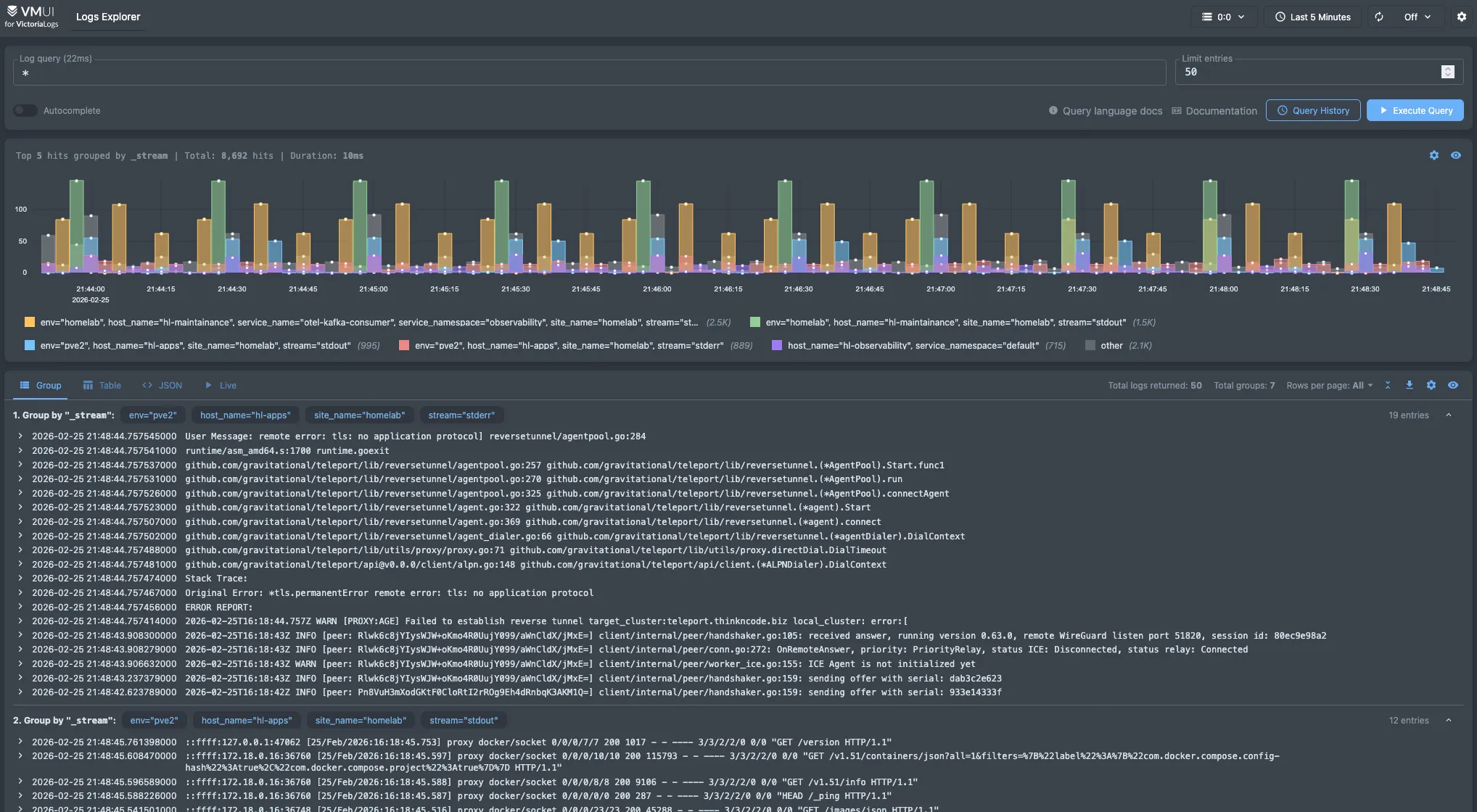
- Fluent Bit Kafka Consumer — Pulls logs from Kafka and sends them to VictoriaLogs on hl-observability (pve4).
The flow looks like this:
┌─────────────────────────────────────────────────────────────┐
│  Every Machine (pve, pve1-pve6, Unraid, Hetzner VPS)       │
│                                                             │
│  ┌──────────────┐    ┌──────────────┐                       │
│  │  OTel Agent   │    │  Fluent Bit  │                       │
│  │  (metrics)    │    │  (logs)      │                       │
│  └──────┬───────┘    └──────┬───────┘                       │
└─────────┼───────────────────┼───────────────────────────────┘
          │                   │
          ▼                   ▼
┌─────────────────────────────────────────────────────────────┐
│  hl-maintenance (pve5) — Kafka 3-Node Cluster               │
│                                                             │
│  ┌──────────────────┐  ┌──────────────────┐                 │
│  │ OTel Consumer     │  │ FluentBit Consumer│                 │
│  └────────┬─────────┘  └────────┬─────────┘                 │
└───────────┼─────────────────────┼───────────────────────────┘
            │                     │
            ▼                     ▼
┌─────────────────────────────────────────────────────────────┐
│  hl-observability (pve4) — Storage & Visualization          │
│                                                             │
│  ┌──────────────────┐  ┌──────────────────┐                 │
│  │ VictoriaMetrics   │  │  VictoriaLogs    │                 │
│  └──────────────────┘  └──────────────────┘                 │
│  ┌──────────────────┐  ┌──────────────────┐                 │
│  │    Grafana        │  │  Uptime Kuma     │                 │
│  └──────────────────┘  └──────────────────┘                 │
└─────────────────────────────────────────────────────────────┘hl-observability Stack#
Here’s the full stack running on hl-observability (pve4):
| Category | Services |
|---|---|
| Metrics | victoriametrics, vmagent, vmauth |
| Logs | victorialogs |
| Visualization | grafana |
| Uptime | uptime-kuma |
| Data Collection | otel, fluentbit |
| Scheduling | yaade |
| Infrastructure | traefik, komodo, netbird agent, hawser agent |
Dashboards#
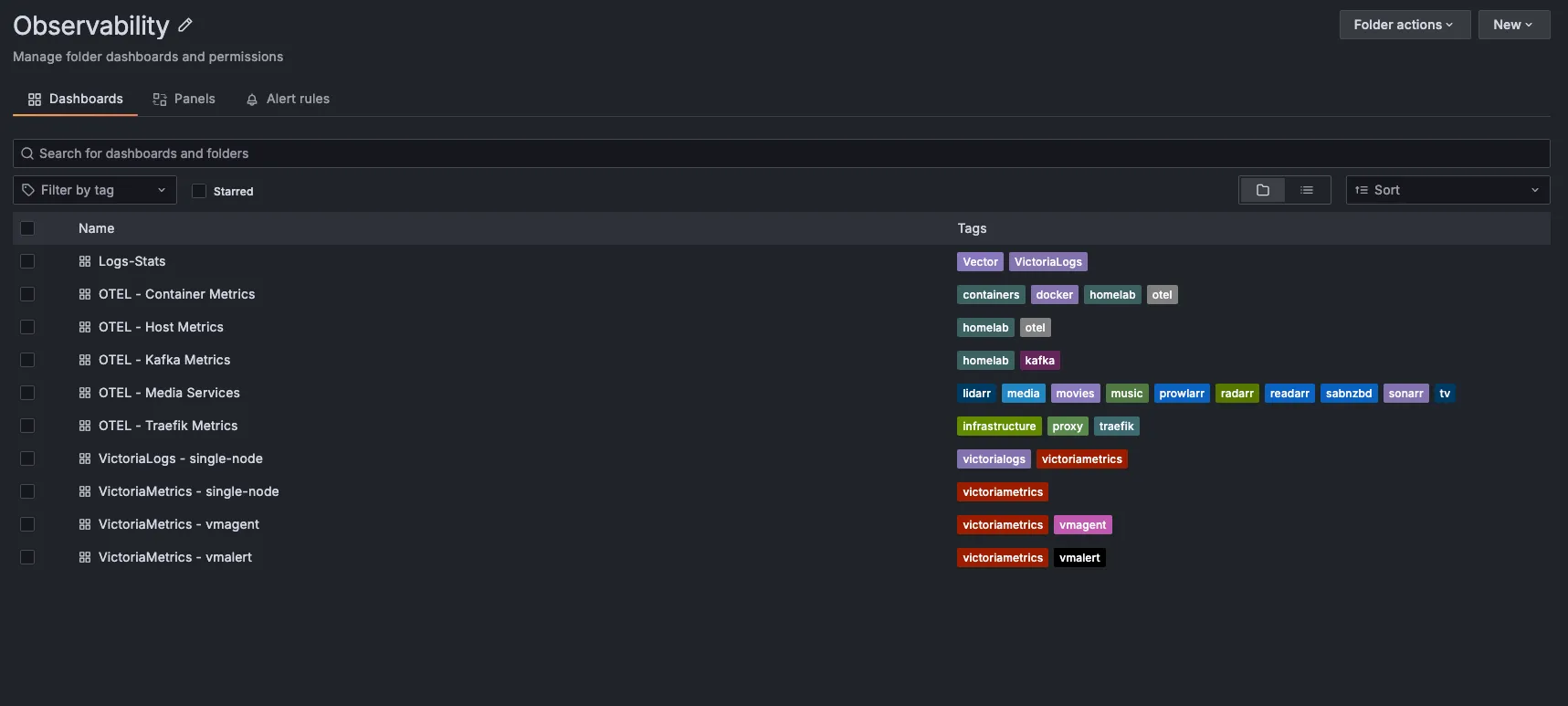
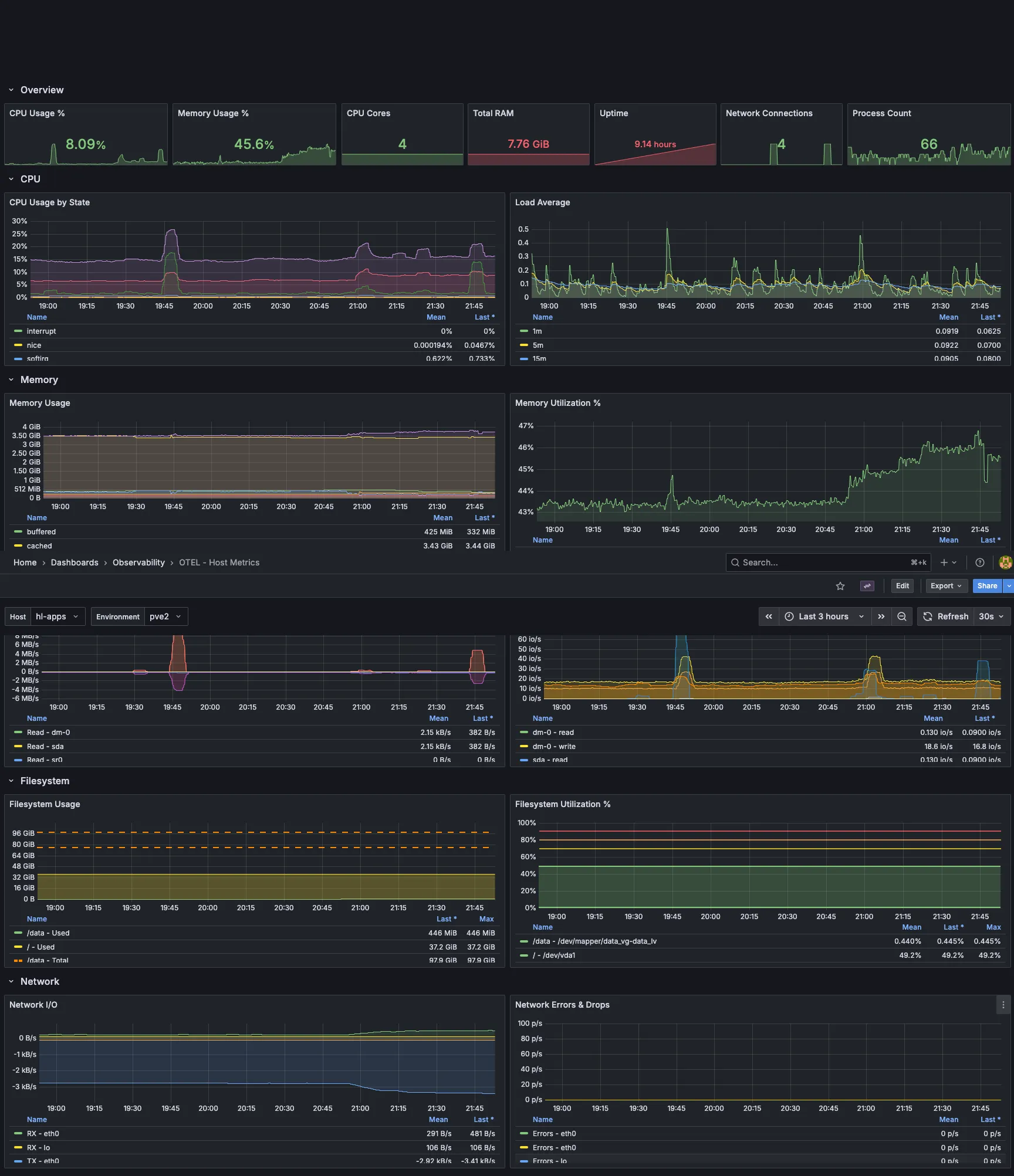
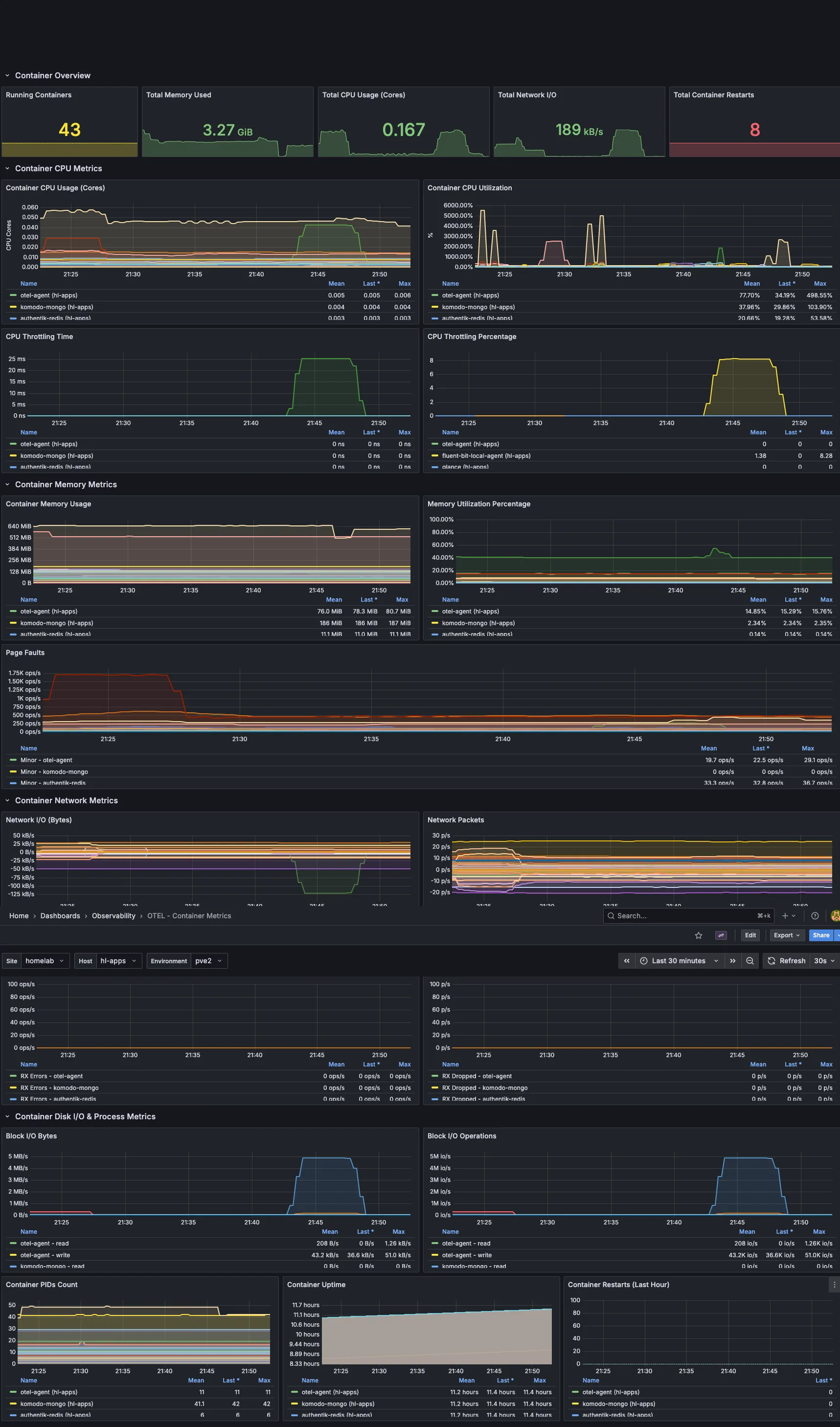
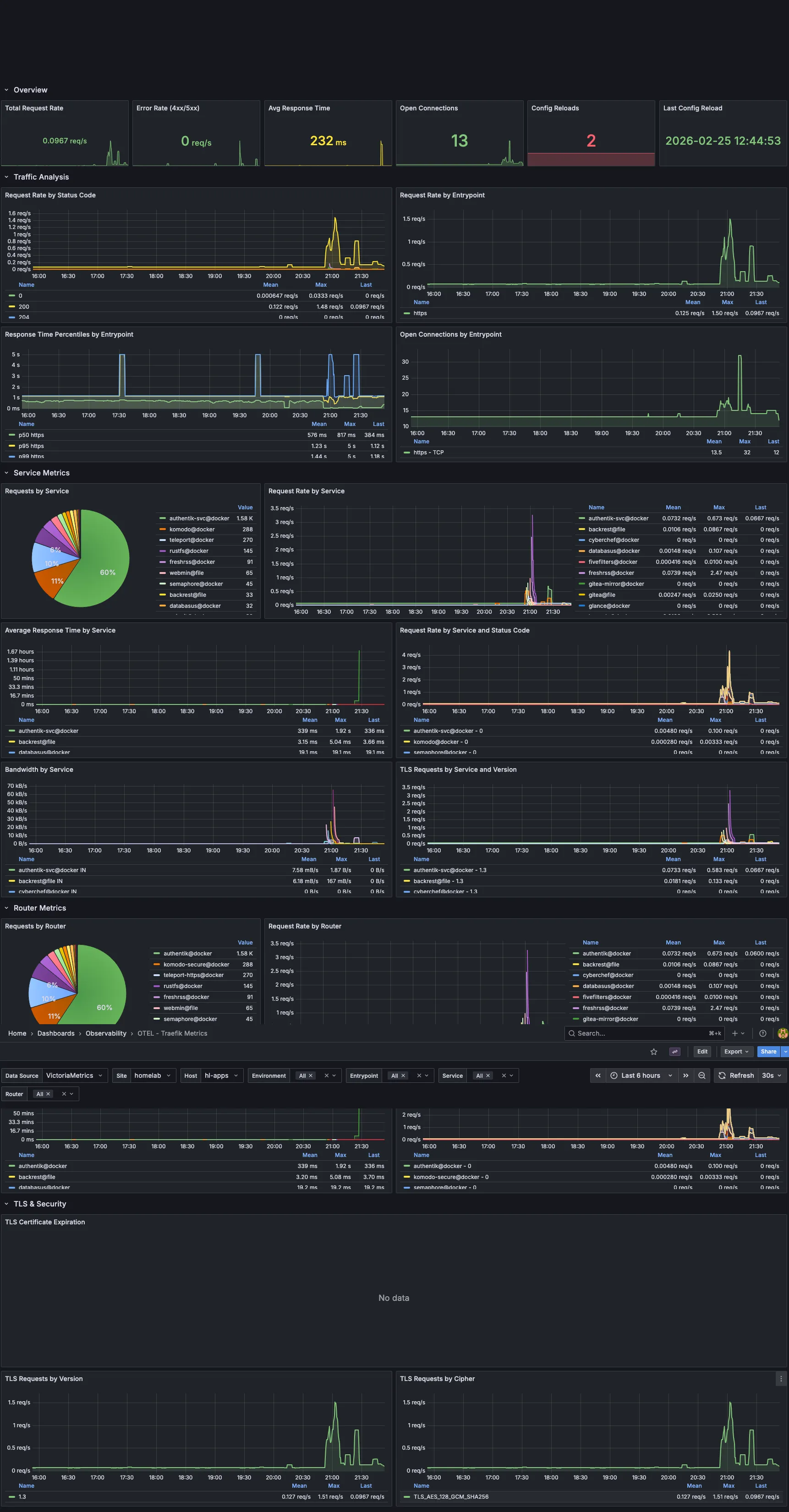
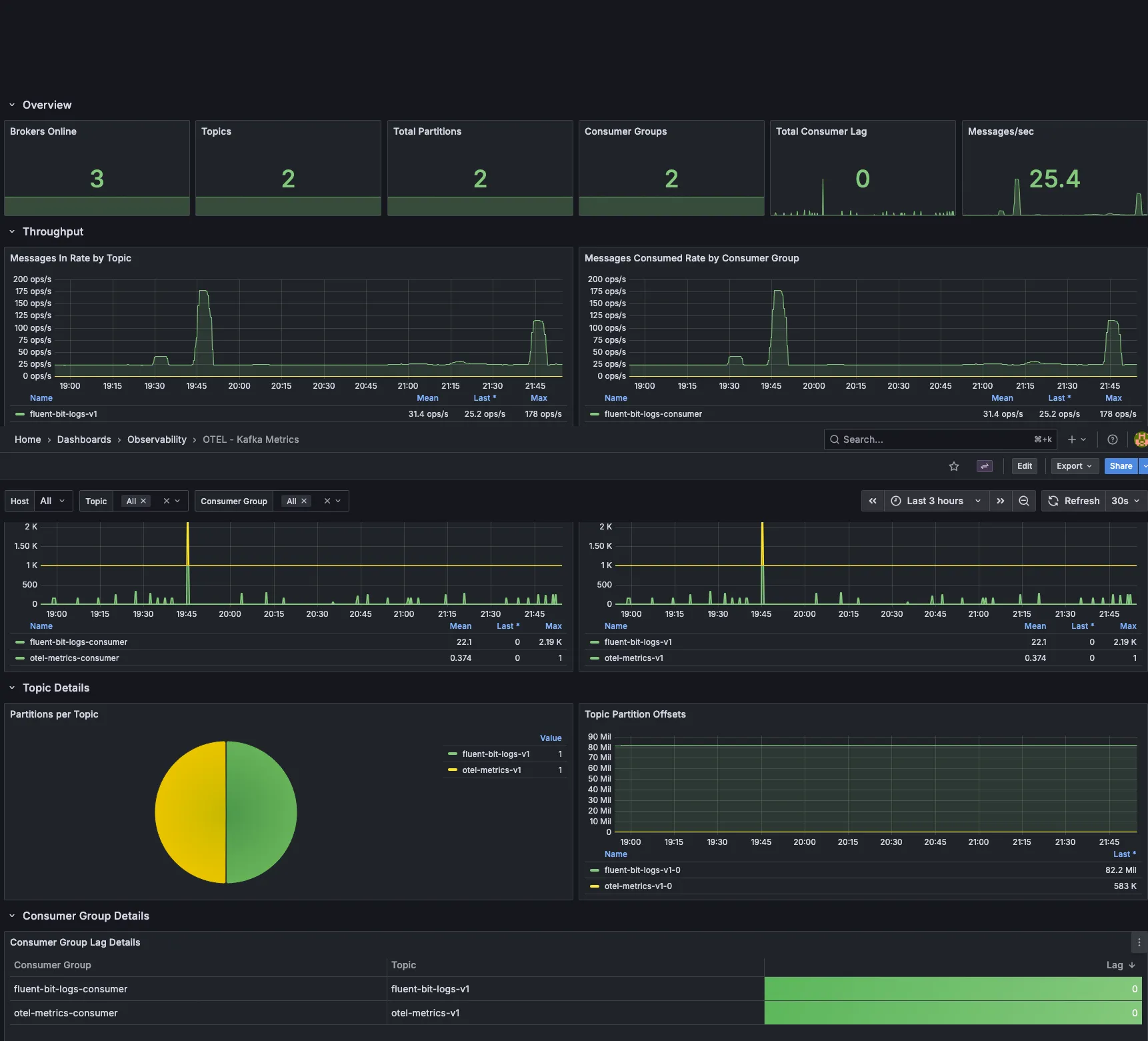
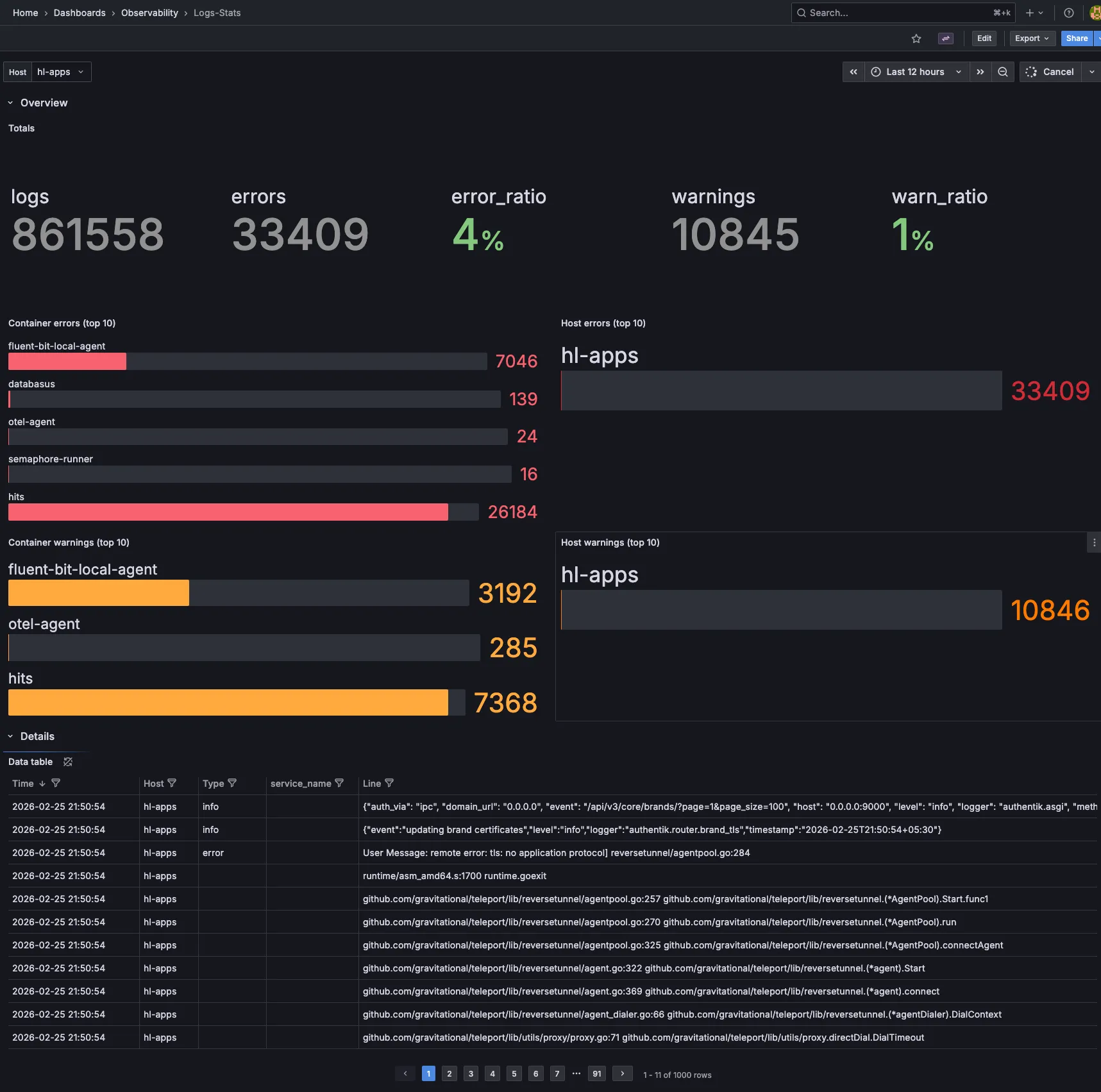
Grafana brings all my monitoring data together. Here are a few key dashboards I use daily, more in progress:
Notifications#
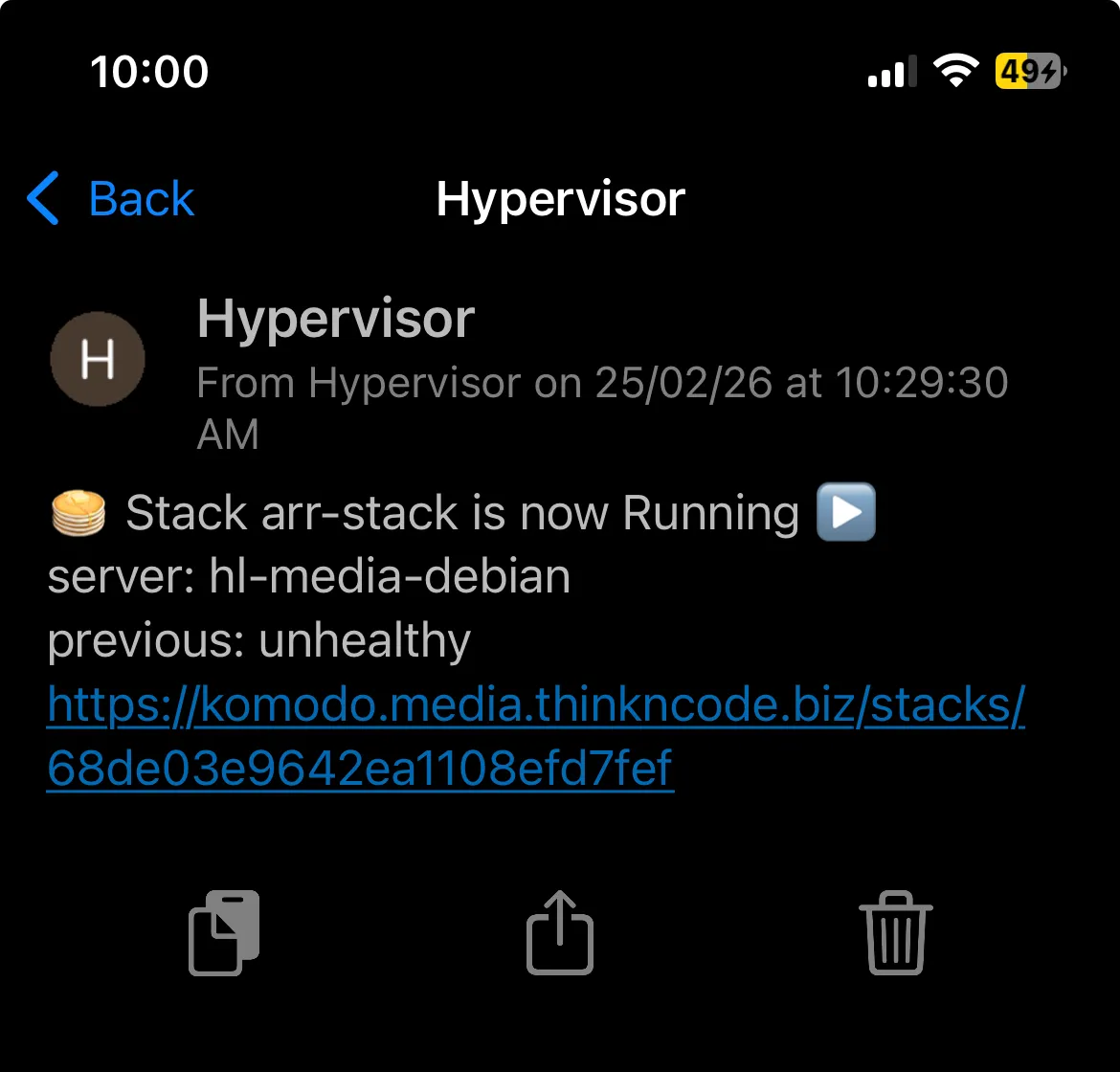
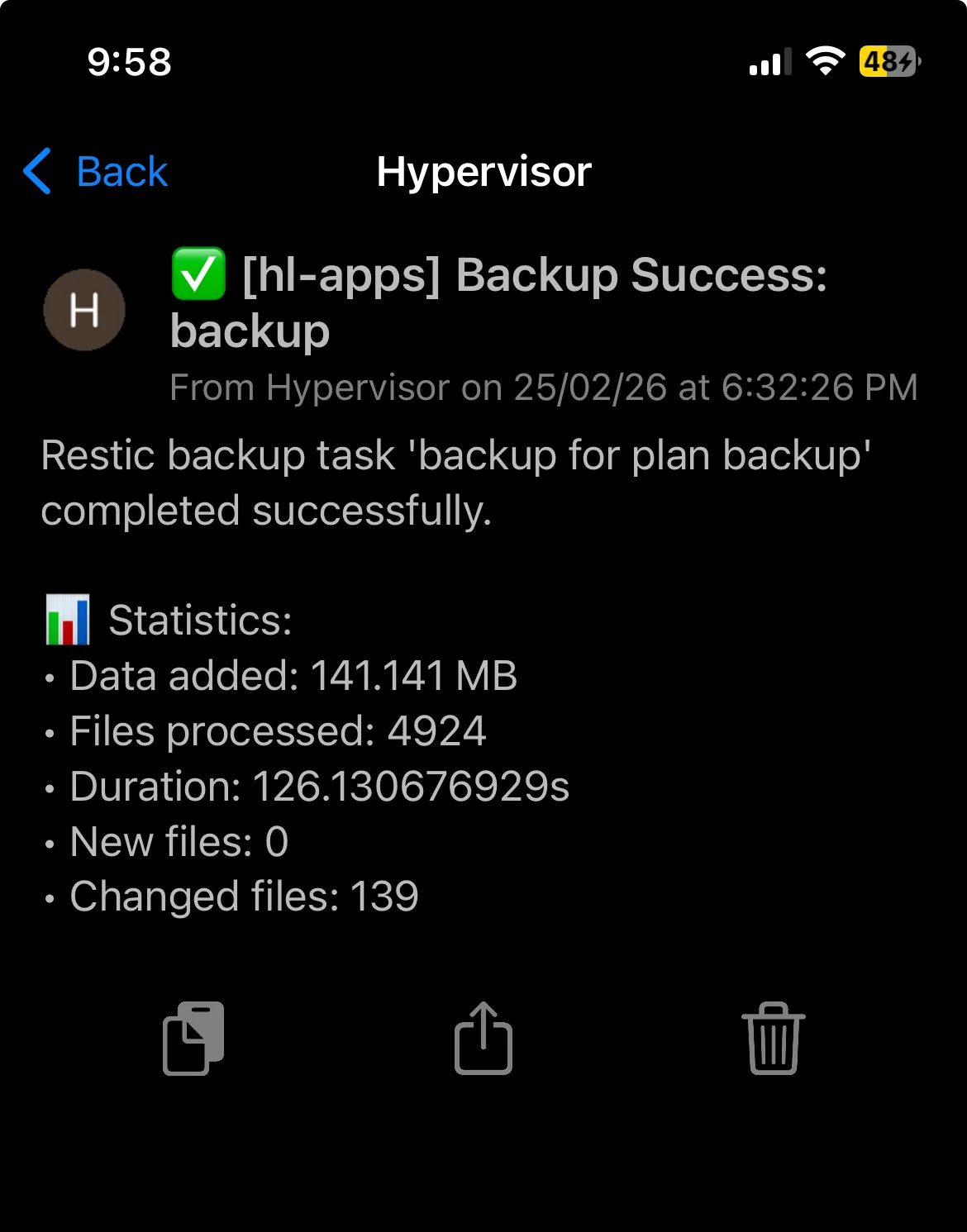
Uptime Kuma and a comprehensive alerting pipeline are still in development. For now, I get notifications via Pushover from various tools across my lab. Backrest sends backup completion alerts, Komodo notifies me on deployment events, and several other services provide their own notifications. While it’s not a unified system yet, this approach covers all my critical alerts.
Deployment & Management#
My goal is to automate as much as possible, and when something can’t be automated, I make sure to document it so I can reliably recreate it later. Here’s how I manage each layer:
Infrastructure Provisioning#
| Layer | Tool | Notes |
|---|---|---|
| Proxmox Configuration | Ansible | Node setup, networking, storage, user config |
| VM / LXC Provisioning | Templates + Scripts | Standardized templates for quick spin-up |
| Kubernetes | Ansible + Terraform | Cluster bootstrapping and infrastructure-as-code |
| K8s Applications | GitOps (GitHub Actions + FluxCD) | Declarative app deployments with automated reconciliation |
| Docker Compose | GitHub Actions + Komodo | CI/CD pipeline for all Docker-based VMs |
| DNS | Terraform + GitHub Actions | DNS records managed as code with automated apply |
| NixOS | Colmena + Flakes | Declarative system configuration and remote deployment |
Reverse Proxy & TLS#
Traefik is the main reverse proxy across my entire homelab. A few simpler setups use Caddy or Nginx Proxy Manager, but Traefik handles the bulk of the routing.
Every machine — PVE nodes, TrueNAS, pfSense, Synology, Unraid, VMs, and Kubernetes — is set up with an ACME requestor using Let’s Encrypt and the Cloudflare DNS challenge. That way, every service, even those on private IPs, gets a valid TLS certificate with automatic renewal. No more self-signed certs or browser warnings.
SSO & Authentication#
- Authentik handles OIDC internally across the homelab
- Pocket ID runs on the Hetzner VPS for external authentication
Both work together — internal services authenticate through Authentik, and anything exposed externally goes through Pocket ID.
2026 Plans#
Hardware#
- Proper rack — Right now all my equipment is on shelves and desks. A dedicated rack would really help with cabling and airflow.
- Storage redundancy — My current setup relies a bit too much on single disks in some areas. I want more parity and mirroring across the NAS devices.
- Improved UPS — I’m aiming for better capacity and coverage, especially for the compute tier.
- 10GbE networking — Upgrading switches and NICs for NAS-to-PVE links is on my to-do list, since the current 1GbE connection is a bottleneck during large transfers and backups.
- Run AI models — locally for experimentation and learning.
Software#
- More immutable OS — I want to expand NixOS adoption across more machines, moving toward a fully declarative infrastructure.
- Talos over K3s — I plan to migrate Kubernetes clusters to Talos Linux for a fully immutable, API-driven OS layer.
- More automation — I’m working to reduce manual steps, improve runbooks, and expand GitOps coverage.
Wrapping Up#
That’s the full overview of every VM, container, backup job, and pipeline running across my homelab. It’s grown from a single machine to seven Proxmox nodes, four NAS devices, and a Hetzner VPS. Each component serves a real need, and the whole system runs reliably day to day.
If you’re building your own homelab, start small and expand as needed. Most of my setup evolved over time instead of being planned from the start. The best homelab is the one you actually use and learn from.